
When we install your app on an iMac running macOS Catalina 10.15.1, the app does not run. I’ve attached the error message and blank white screen that we encounter when we launch the app on an iMac running the latest version of macOS Catalina 10.15.1.
Apple suggested BlueMail could not be restored to the App Store because it was not notarized. But Apple’s own documentation says that “you aren’t required to notarize software that you distribute through the Mac App Store because the App Store submission process already includes equivalent security checks.”
And on January 25, 2020, an Apple employee admitted to us in writing: “You’re correct that apps destined for Mac App Store do not need also be separately notarized, as that is part of the Mac App Store signing and submission process.”
More details
Apple’s App Review team should know better. The screenshot they sent us shows Gatekeeper, the check Apple introduced with macOS Catalina on October 7, 2019. Any tech-savvy person can get past it by following the instructions. Apple’s own documentation also says:
“However, you aren’t required to notarize software that you distribute through the Mac App Store because the App Store submission process already includes equivalent security checks.”
Apple Developer documentation
The App Review team claimed it could not test our non-notarized app. For some reason, it did not find a way to follow Apple’s own instructions:
“In macOS Catalina and macOS Mojave, when an app fails to install because it hasn’t been notarized or is from an unidentified developer, it will appear in System Preferences > Security & Privacy, under the General tab. Click Open Anyway to confirm your intent to open or install the app.”
Apple Support
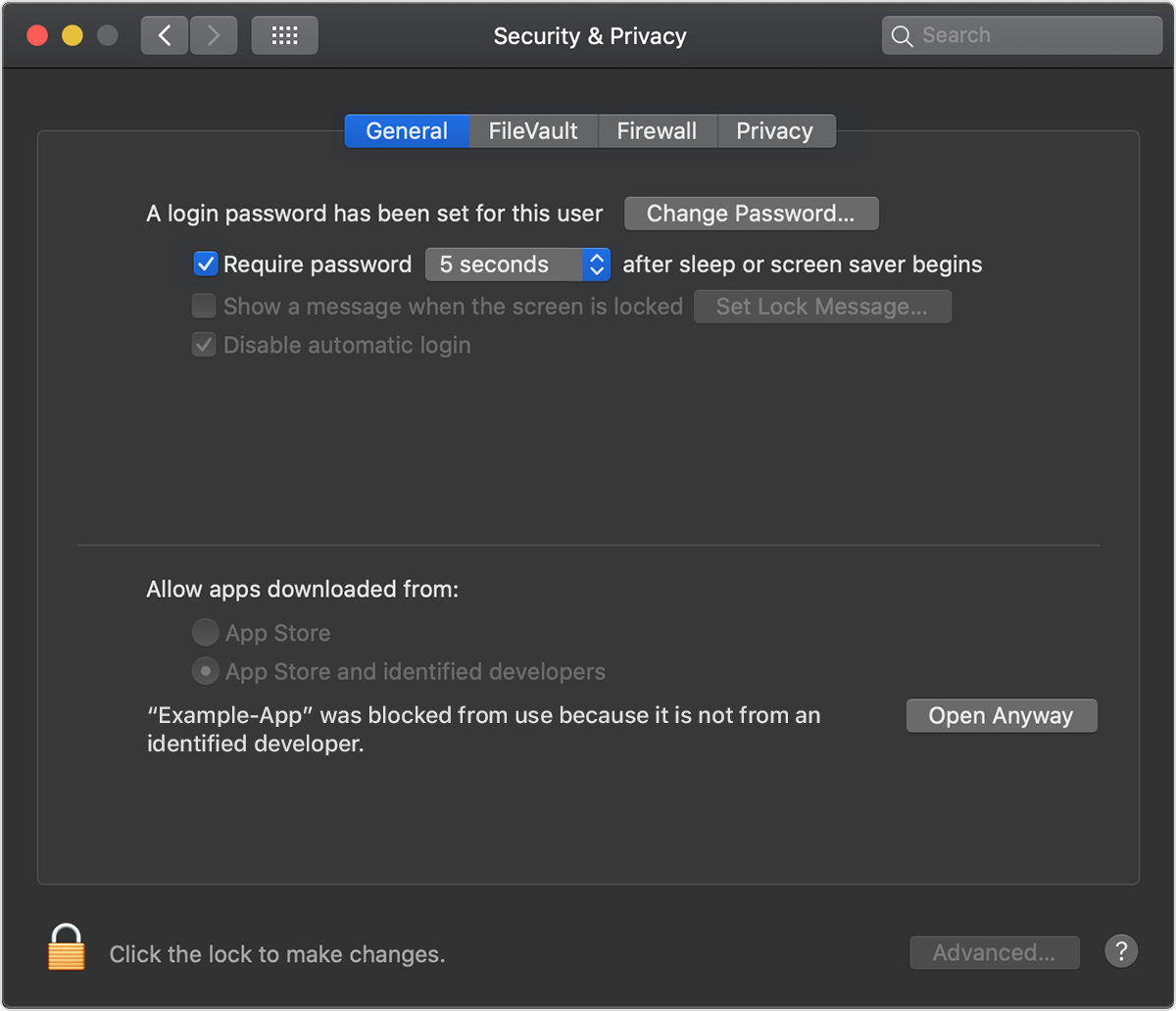
To make it easier for the App Review team, on December 16, 2019 we sent step-by-step instructions for handling Gatekeeper. The App Review team insisted it still could not test BlueMail on macOS Catalina. We then recorded a video showing how.
Watch on YouTube: running BlueMail on macOS Catalina through Gatekeeper
Tech-savvy users can follow these steps and run BlueMail on macOS Catalina by choosing “Open Anyway”. We find it hard to believe that Apple’s App Review team cannot.
Only on January 25, 2020, after a long period of denial and after involving Apple Developer Technical Support, did we finally get this answer:
“You’re correct that apps destined for Mac App Store do not need also be separately notarized, as that is part of the Mac App Store signing and submission process.”
Apple, January 25, 2020