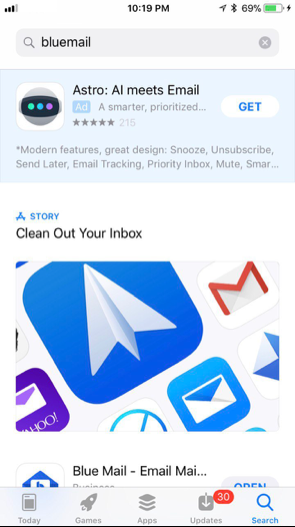
Apple intentionally designed the iOS App Store in a way that raises the cost of searching and discourages users from evaluating many apps for any particular query.
The layout of iOS App Store search forces a user to scroll significantly to reach many – and sometimes any – third-party apps. Unlike other app marketplaces, Apple gives a large share of the search screen to paid advertising and Apple-selected “Stories” featuring only the apps Apple chooses to make discoverable, to the point where the app a user asked for may not be visible at all, or barely.
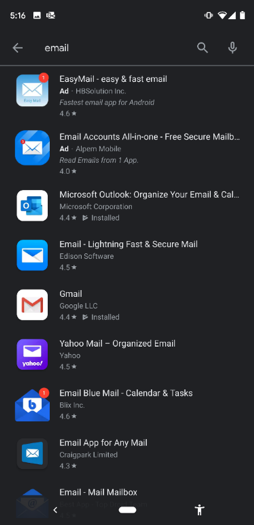
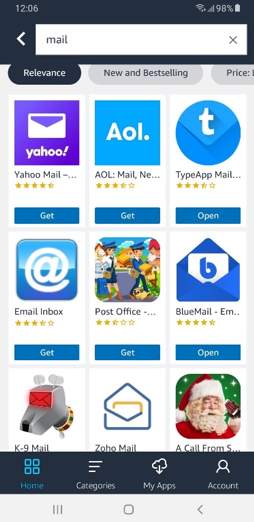
Apple, in contrast, designed the iOS App Store to offer far fewer choices, and to make users take action before they can see multiple options. In response to a direct search for “BlueMail”, Apple’s iOS App Store has at times first shown a large paid advertisement taking up roughly 30% of the screen, followed by an Apple-selected “Stories” box taking up nearly 50%.